Loading the guide…
Add attributes to a schema
Learn how to add stored and evaluated attributes to a schema, choose a type, set defaults, and use auto-fill and computed values.
On this page
Base attributes cover the fields every business needs. Everything specific to yours, a plan tier, a signup date, a lifetime value, you add yourself. An attribute is a typed field on a schema. This article covers the two kinds of attribute you can add, the types available, and the two features on top of them: auto-fill and computed values.
Before you start, it helps to understand how schemas fit together. If you have not read it yet, see understand schemas, contacts, objects, and events.
Stored versus evaluated attributes
There are two kinds of attribute, and the difference is where the value comes from.
- A stored attribute holds a value you save on the record, like a text field or a date. maxclicks keeps it in the database until you change it.
- An evaluated attribute holds no value of its own. maxclicks computes it on demand from AI-generated logic, for example "the company this person works for" or "total spend in the last year".
Most of your attributes will be stored. Evaluated attributes come in when you need relationships, formulas, or aggregations that would otherwise be a pile of manual work. Both are covered below.
Add a stored attribute
You add attributes in the schema's attribute editor.
- Open the schema
Go to Settings, then Schemas in the left-hand sidebar, and select the schema you want to extend. For event schemas, open Settings, then Events instead.
- Add an attribute
Choose to add an attribute. Give it a clear label, such as Plan tier, and a key, such as
planTier. The key is what data must match on import and through the API, so keep it short and consistent. - Choose a type
Open the Type dropdown and pick the entry that matches the data, such as Text, Number, or Date. The type determines what values maxclicks will accept and how the field behaves. Configure any type options, like a dropdown's choices or a number's minimum and maximum.
- Save the attribute
Set whether the field is required, add any auto-fill, and save. The new attribute appears on every record in the schema right away, empty until a value arrives.
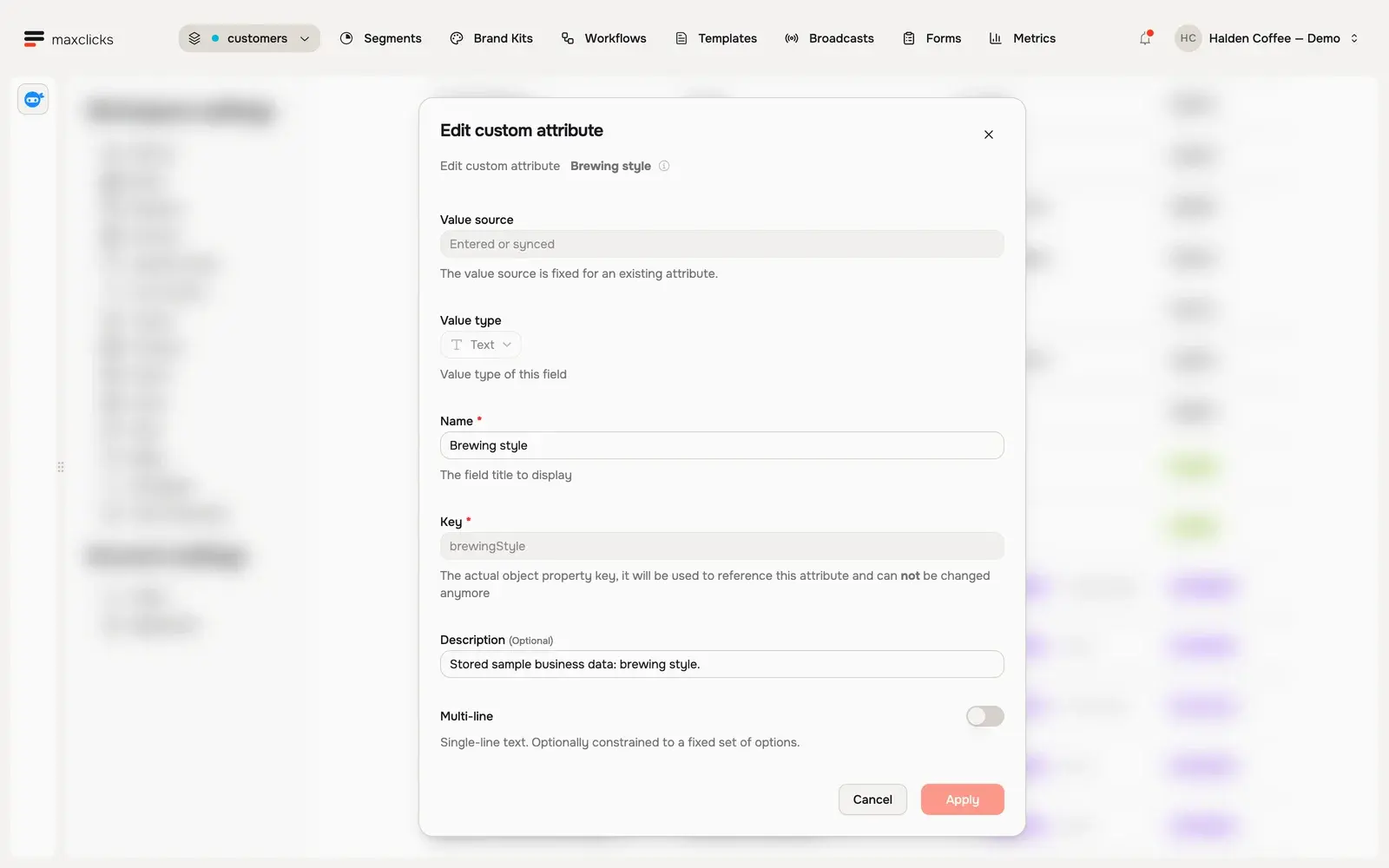
Walkthrough steps
Open the existing Brewing style attribute. Inspect its Entered or synced source, text type, label and fixed key. The field is not changed.
Stored attribute types
maxclicks offers a type for most kinds of business data. The Type dropdown lists them as a flat set of choices, so pick the most specific entry that fits: it gives you better validation, better inputs, and better results when maxinja works with your data.
| Type | Use it for | Options |
|---|---|---|
| Text | Names, labels, short descriptions | Plain text, a dropdown or radio of fixed options, or multi-line text and code |
| Email addresses | Validated as an address | |
| Phone | Phone numbers | Validated and normalized |
| URL | Links, files, images | A web link, a file, or an image with an optional preview |
| Number | Counts, scores, quantities | Whole numbers or decimals, with an optional minimum and maximum, or a percentage |
| Decimal | Money and precise amounts | An optional currency |
| Checkbox | Flags and toggles | Shown as a checkbox or a dropdown |
| Timestamp, Date, Time | Points in time | A full date and time, a date only, or a time only |
| Multi-select | Several short values in one field | A list of text values, optionally limited to fixed choices |
| Address, Geolocation, JSON | Structured values | A postal address, a geolocation, or free-form data that follows a JSON schema you define |
A few notes on choosing:
- Text is the workhorse. Give it a fixed set of options and it becomes a controlled dropdown or radio group, so your data stays clean. Switch it to multi-line for long text or code.
- Email, Phone, and URL are their own entries in the dropdown, not settings inside Text. Each validates the format for you.
- Use Decimal rather than Number for money, so amounts keep their precision.
- Address, Geolocation, and JSON cover values that are not a single scalar. Use the first two for those common shapes, or define your own JSON schema with JSON.
There are no nested-object attribute types. When you need to store a structured value, use JSON with a schema you define rather than looking for an "object" field type.
The same Type dropdown ends with Evaluated (AI-computed), which is how you create the computed attributes covered further down. Everything above it is a stored type.
Required fields and null values
Every attribute is either required or optional. An optional attribute can be empty (null) on a record, which is the normal state until a value arrives.
A required attribute must have a value when a record is created. If a record comes in without one, and there is no auto-fill to supply it, the record fails to save. Mark an attribute required only when a record genuinely cannot exist without it, so you do not block legitimate data at the door.
Setting a custom attribute to empty later clears its value but keeps the field on the record. There is no way to remove a custom attribute's value entirely from a single record; you clear it or you change it.
Auto-fill: default and AI-generated values
Any stored attribute can have auto-fill, which supplies a value when a record is created without one. Auto-fill runs only at creation, and only for values that were not provided, using the record's other fields as context. It comes in two forms.
- A fixed default puts the same value on every new record that arrives empty, such as a default plan tier of free or a status of active.
- An AI-generated value asks maxinja to fill the field when a record enters, optionally guided by a prompt you write. For example, an AI auto-fill on a Region field could infer the region from the contact's other details.
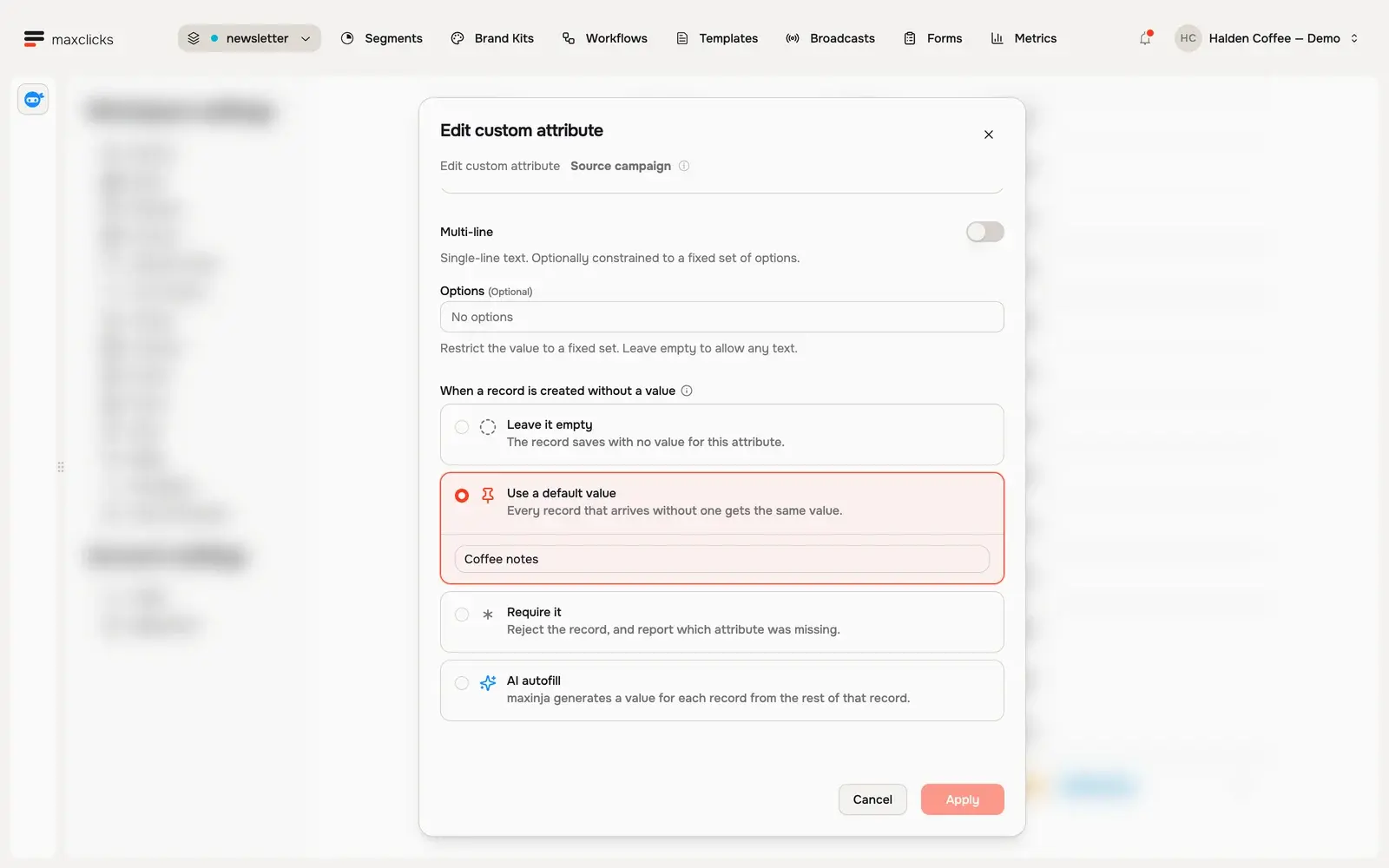
Walkthrough steps
Open Source campaign in the newsletter schema and inspect the missing-value options. The saved fixed default is Coffee notes. No policy change is submitted.
Evaluated attributes: computed relationships and formulas
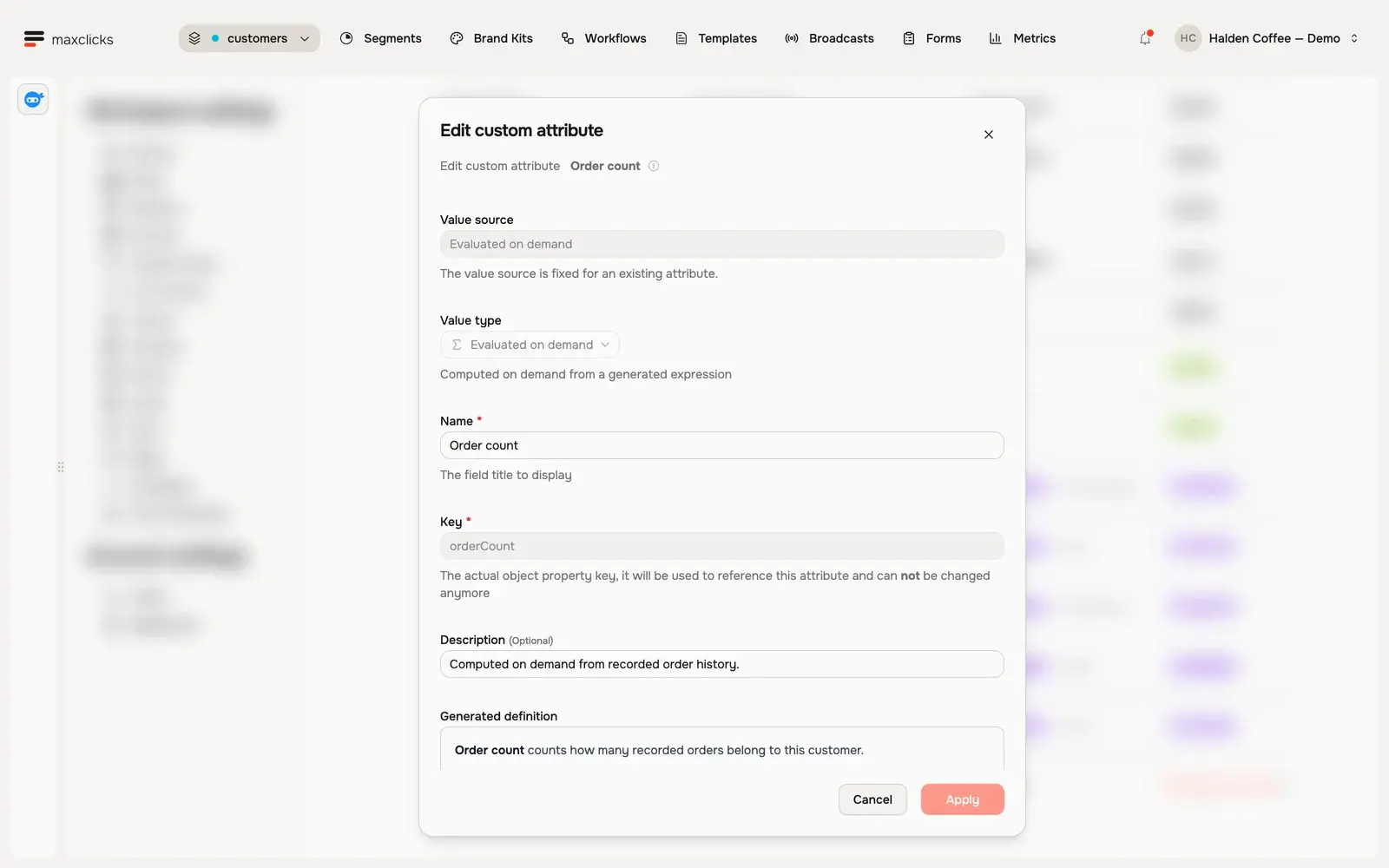
Instead of storing a value, an evaluated attribute computes one on demand from logic that maxinja generates for you. One attribute kind covers all of it: entity relationships, computed properties, formulas, aggregations, and cross-record queries.
Examples of what an evaluated attribute can express:
- The company a contact works for (a relationship to an object schema).
- A contact's total spend over the last year (an aggregation over event history).
- The top three products rated highly by people at a contact's company (a cross-record query).
An evaluated attribute returns one of two things: one or more records from another schema, or a computed value that follows a JSON schema you declare. That is enough to model almost any relationship or calculation your business needs.
How an evaluated attribute is defined
You do not write the logic by hand. You describe what you want, and maxinja generates it. Each evaluated attribute stores three parts:
- Requirements: your description of what to compute, in plain language. You refine it with follow-up prompts rather than editing code.
- A human-readable description: a clear summary of what the attribute does, which is what you and your teammates see.
- The generated logic: the actual computation, which maxclicks keeps as a server-side secret. It is never shown to any client and can never be written or edited by hand, only regenerated through maxinja.
How evaluated values appear
An on-demand evaluated attribute queries the available database records when something consumes it. Its result reflects those records at that time; it cannot account for data that has not arrived yet. Because it is not stored, it does not show up on a plain record read: it appears only when the thing consuming the record explicitly asks for it, for example a workflow step or an email template that needs the company a contact works for.
Two limits are worth knowing. An evaluated attribute that returns many records is capped at 1000 records, with the excess truncated and reported. And nothing computes an evaluated attribute you did not ask for: a broadcast calculates one for each recipient only when the email content's Data panel has that attribute ticked, so an unticked computed field renders empty.
Because maxclicks tracks which schemas, attributes, and segments an evaluated attribute depends on, you cannot delete something an evaluated attribute still uses. maxclicks blocks the deletion with an "entity in use" message until you remove the dependency.
Inspect an AI autofill policy
Choose AI autofill under the missing-value controls to review its prompt, credit usage and failure behavior before applying it. This example opens the controls without changing the saved fixed default.
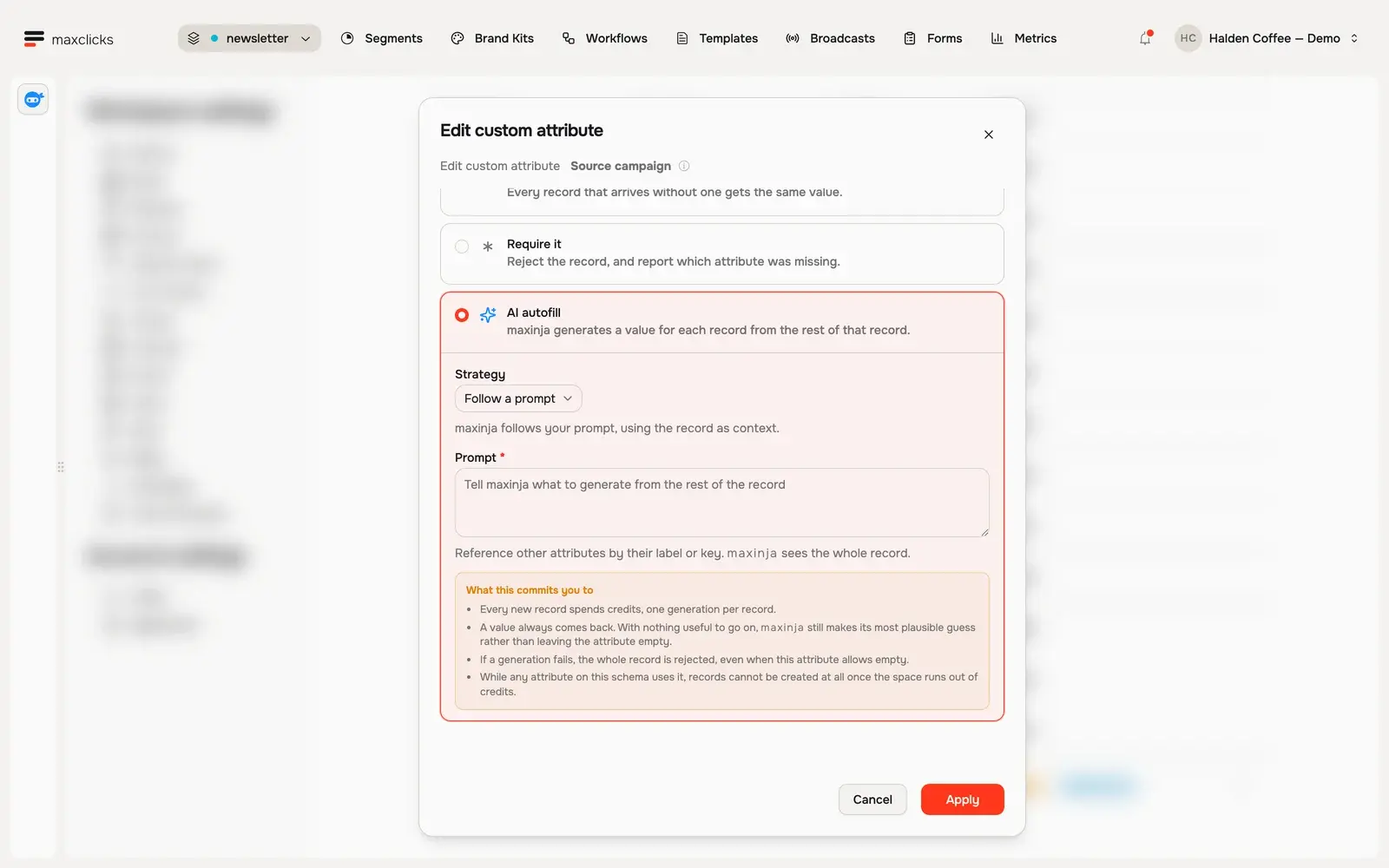
Walkthrough steps
Open the field’s missing-value controls and select AI autofill to inspect the prompt and usage conditions. No prompt is submitted and Apply is not clicked; the stored policy remains the fixed default.
Put your attributes to work
Once your schema has the fields you need, you fill them with data. Bring in an existing list with import your contacts from a CSV file, remembering that CSV headers must match your attribute keys exactly. Add or edit records by hand with add and edit contacts. Then use your attributes to build filtered audiences in create a segment.
Frequently asked questions
Can I change an attribute's type after I create it?
No. Both the key and the type are permanent once the attribute exists. You can rename the label, edit the description, and reorder attributes, but to change the type you add a new attribute with the type you want and migrate your data to it.
What is the difference between a stored and an evaluated attribute?
A stored attribute holds a value you save on the record and keep until you change it. An on-demand evaluated attribute computes a result from generated query logic when requested. Collected-event aggregate attributes instead use event windows and a refresh schedule; see the events guide for freshness and update status.
Does auto-fill update records I already have?
No. Auto-fill runs only when a record is created, and only for fields left empty. It does not backfill existing records and it never overwrites a value you provided. To populate a field on existing records, edit them or re-import with the value included.
Can I write the logic for an evaluated attribute myself?
No. Evaluated attribute logic is generated by maxinja from your plain-language requirements and kept as a server-side secret. You shape it by describing what you want and refining with follow-up prompts, not by editing code. This keeps the logic safe, validated, and scoped to your space.
Why can't I delete a schema or segment I no longer need?
Because something still references it. Evaluated attributes, segments, broadcasts, workflow steps, and webhooks all track their dependencies, and maxclicks blocks deletion of anything still in use. Remove the references first, then delete.
Did this article answer your question?