Evaluated attributes
Describe the field. Use the answer everywhere.
Turn related customer records into values your audiences, emails and workflows can use.
The useful field may not be stored anywhere.
Order count. Days since the latest purchase. The projects a person created in their workspace. Describe what the value means and maxinja prepares the calculation.
Start with the relationship.
A customer’s orders must belong to that customer. Define the schemas and relationships, then describe the field against that data.
Compute at the moment of use.
An evaluated attribute derives its value when requested. Reuse the definition across the table, audience and message instead of maintaining another stored copy.
Sarah’s order history becomes usable context.
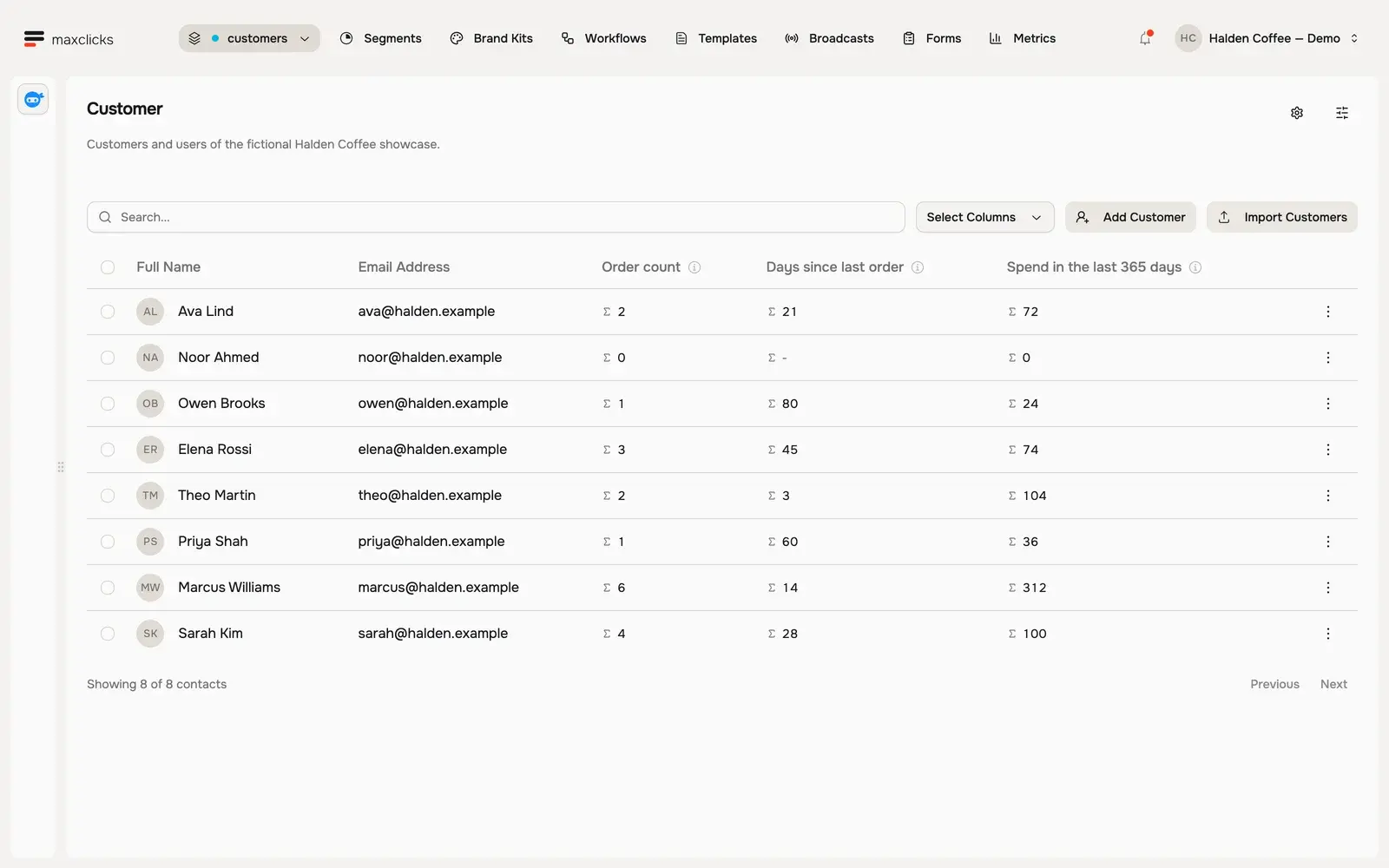
In the Halden demo, the same recorded orders provide a count, the time since the latest purchase and annual spending. Open the calculation explanation to see what the value means.
- Recorded orders
- 4
- Days since latest order at capture
- 28
- Spend over the preceding year
- $100
Walkthrough steps
Inspect the eight fictional Halden customers and their computed order fields. Open Sarah’s order-count explanation, wait for the actual query to return four, then open her contact profile and preferences. No record is edited.
Use the related records, too.
A value for the decision.
Use order count or project count to define an audience or choose a workflow branch. The same definition can be evaluated for each contact.
Records for the message.
Attribute expansion includes the related orders, account or projects a message needs. Adaptyle can then write from that specific recipient’s history.
Turn a customer question into a field.
Bring one customer journey. See how maxclicks connects the data, audience and message.