Email editors
Your format. Your brand. Each customer’s context.
Four editors connect the way you write to your data, brand and recipient previews.
Four editors. One platform.
Shape the message.
Your way.
Visual composition, a personal note or direct control of the code. Your templates stay connected to the same customer data, brand and sending tools.
A branded campaign, with a personal introduction.
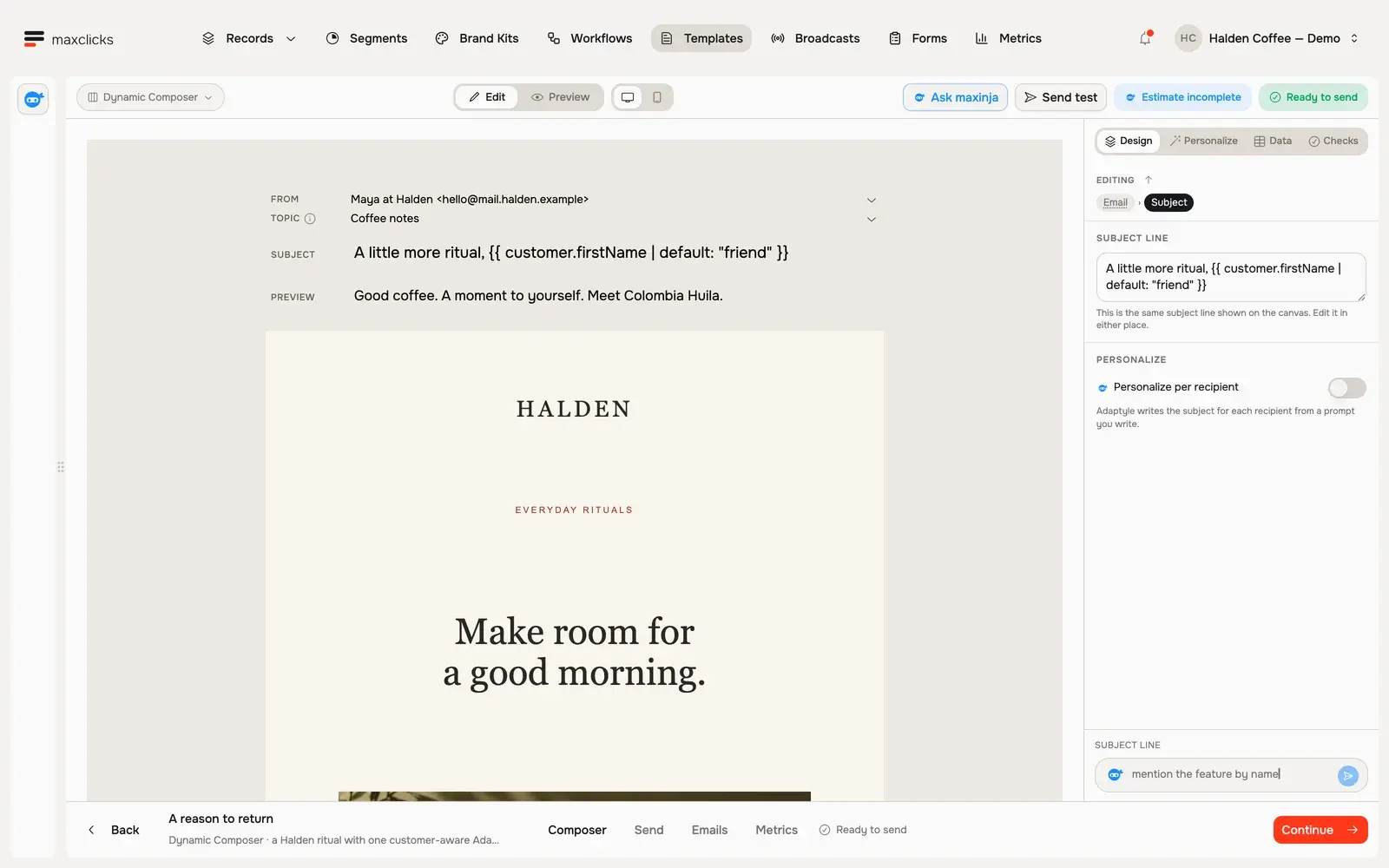
Build the layout visually. Mix fixed content, customer fields and Adaptyle instructions in the Halden return email.
Walkthrough steps
Tour the Dynamic Composer: inspect the preview, open Data to see the selected Customer record, then return to the authored email. Light shows an existing generated variant for Priya; dark also demonstrates Base preview. No new AI generation or send is performed in this tour.
Showing Dynamic Composer.
Write the message. Give the personal passages to Adaptyle.
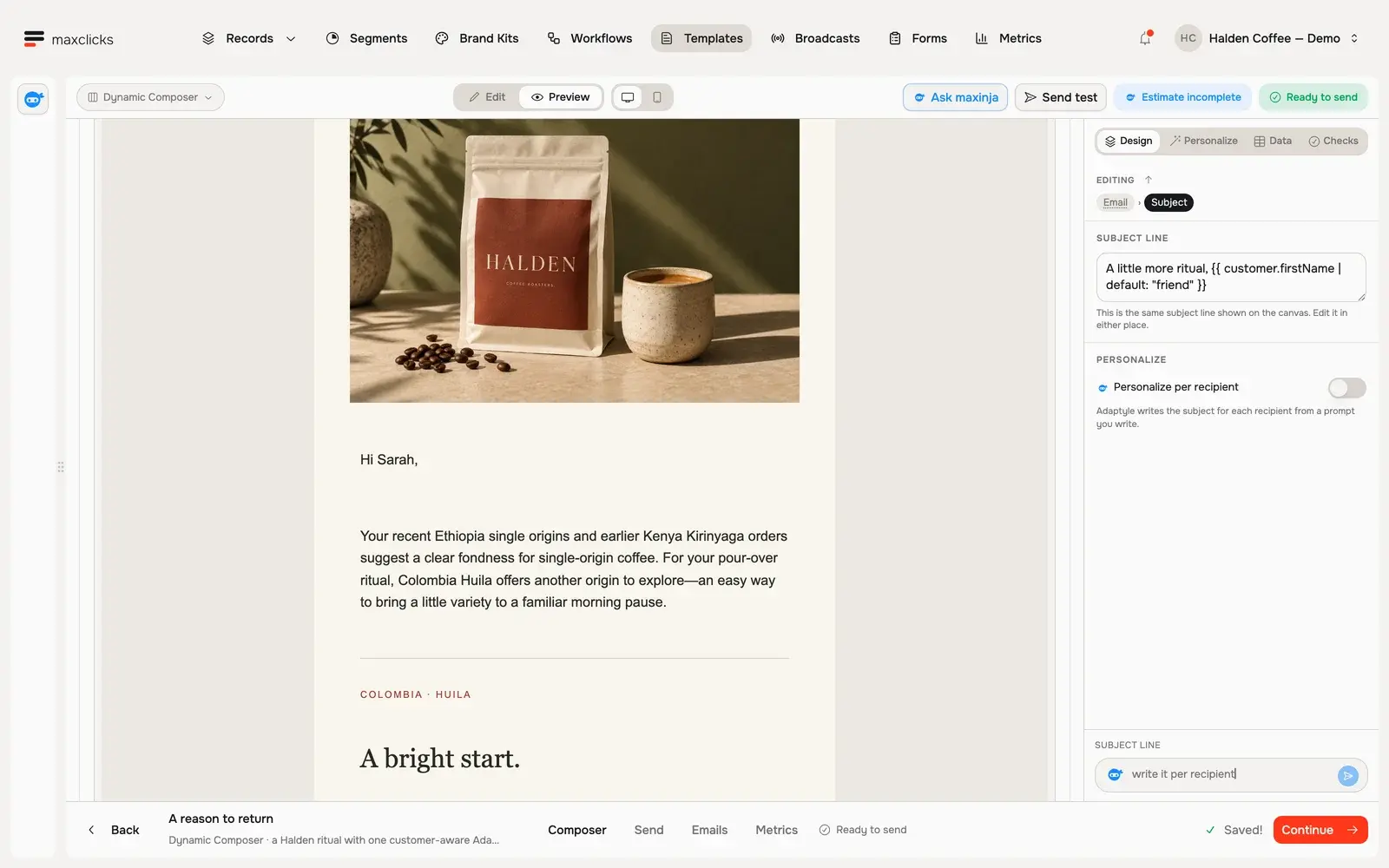
Keep the offer and layout you approve. Mark the passages to personalize, describe the task and preview the writing with an actual recipient.
Walkthrough steps
With Sarah selected, request a real personalized preview and wait for it to finish. Scroll to the generated paragraph connecting her Ethiopia and Kenya purchase history and pour-over preference to the supplied Colombia Huila offer. No email is sent; separate generations can vary.
The editor already knows the data it can use.
Bind the recipient.
Choose the contact schema and data the message expects. Use stored fields, evaluated values and expanded related records.
Check real examples.
Switch sample recipients, compare base and personalized content, and inspect the data behind the result.
Use it where the journey needs it.
Save a reusable template, add the email to a workflow or prepare a broadcast. REST and SMTP connect templates to your app.
Bring the email you want to build.
Bring one customer journey. See how maxclicks connects the data, audience and message.